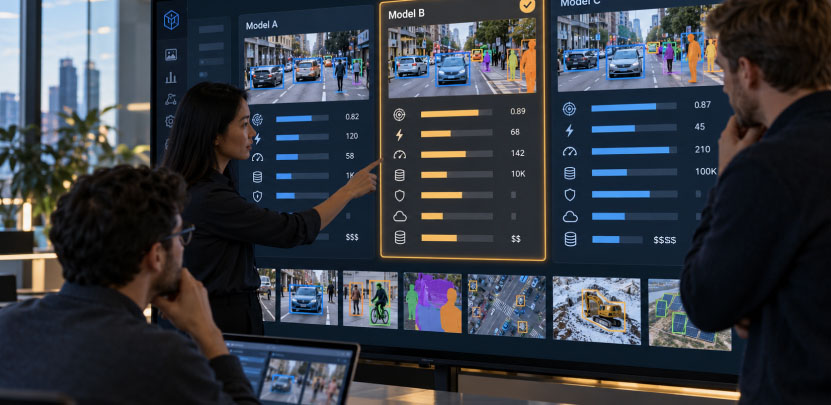
A camera on a production line, a phone pointed at a crop, a scan on a radiologist’s screen: each of these produces images, and each needs a computer vision model to turn those images into a decision. The model you pick determines how accurate that decision is, how fast it arrives, what hardware it needs, and what it costs to run for years. Picking well is rarely about finding the newest model. It is about matching a model to a task, a dataset, and a deployment environment.
This blog explains what computer vision models are, the main types by task and by architecture, where enterprises use them, and a practical framework for choosing one.
What Are Computer Vision Models?
A computer vision model is a machine learning model trained to interpret visual input such as images, video frames, or scans. It takes pixels in and returns something useful out: a label, a box around an object, a pixel-level outline, a block of extracted text, a distance estimate, or a plain-language description.
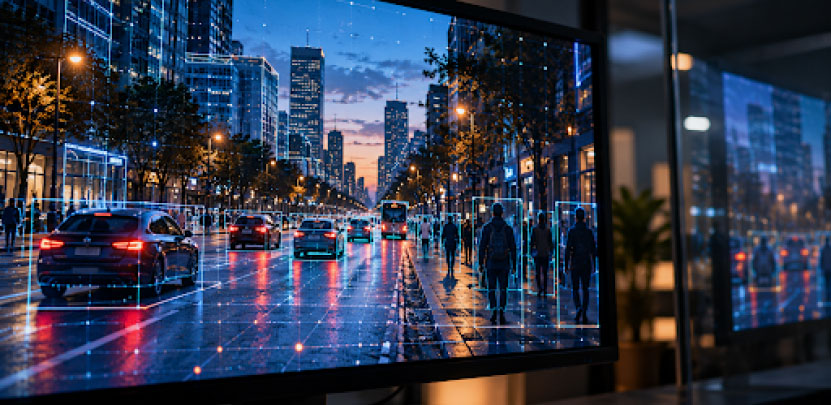
Most modern models are neural networks trained on large collections of labeled or unlabeled images. A model learns visual features, from simple edges and textures up to shapes and whole objects, and uses them to make predictions on new images it has never seen. Whether it does that well on your images, in your lighting, on your hardware, is the question that matters.
The commercial interest is real. Grand View Research valued the computer vision market at $23.6 billion in 2025 and projects it to reach $101.5 billion by 2033, a 20.1% compound annual growth rate. Estimates vary by how each firm defines the market, so treat the figure as a direction rather than a precise count. Gartner has described computer vision as one of the most promising AI technologies for organizations today, pointing to low barriers to entry and strong returns.
Types of Computer Vision Models by Task
The most useful way to sort models is by the job they do. Pick the task first, and the shortlist of models shrinks quickly.
| Task | What it outputs | Typical uses |
|---|---|---|
| Image classification | One label per image | Triage scans, sort products, flag defective vs. good parts |
| Object detection | Boxes and labels for each object | Counting, safety monitoring, shelf checks |
| Semantic segmentation | A class for every pixel | Land cover, tissue regions, road surfaces |
| Instance segmentation | A separate mask for each object | Separating touching items, measuring individual objects |
| Keypoint and pose estimation | Positions of joints or landmarks | Ergonomics, sports analytics, gesture control |
| Object tracking | Identity of an object across frames | Traffic flow, people counting, asset movement |
| Optical character recognition | Text from images | Invoices, labels, serial numbers, forms |
| Depth estimation | Distance or 3D structure | Robotics, warehouse navigation, inspection |
| Embedding and zero-shot models | Vectors that compare images and text | Visual search, deduplication, classifying without training |
| Vision language models | Answers and descriptions in natural language | Visual question answering, document understanding |
Classification is the simplest task and often the cheapest to ship. If the question is “is this part acceptable?” and one decision per image is enough, a classifier may be all you need.
Detection adds location. When you need to count items or know where something is in the frame, detection models return a bounding box and a class for each object. Real-time detectors are the workhorse of surveillance, retail, and safety applications.
Segmentation goes further, outlining objects at the pixel level. Semantic segmentation labels regions by class, instance segmentation separates individual objects of the same class, and panoptic segmentation combines both. Choose segmentation when shape and exact boundaries matter, such as measuring a defect or isolating tissue.
OCR, depth, and tracking models are specialists. They are often combined with a detector in a pipeline: detect the label, crop it, read it, validate the result.
Embedding and vision language models are the newest category. They handle tasks that used to require a custom-trained model, such as classifying images against categories you describe in words, or answering questions about a chart. They are flexible, but usually heavier and less predictable than a model trained for one narrow job.
Computer Vision Model Architectures
Task describes what a model does. Architecture describes how it is built.
Convolutional neural networks (CNNs). For about a decade, these were the standard for image work. CNNs scan an image with small filters that pick up local patterns, then stack layers to build up from edges to objects. Families such as ResNet and EfficientNet are widely used for classification, and detectors like Faster R-CNN, Mask R-CNN, and the YOLO family are built on convolutional ideas. CNNs remain a strong choice for edge devices and latency-sensitive work because they are efficient and well understood.
Vision transformers (ViTs). Transformers split an image into patches and use attention to relate every patch to every other, which helps them capture global context. With enough data, they often match or beat CNNs on classification, and transformer-based detectors in the DETR family simplify the detection pipeline by predicting final objects directly, without a separate post-processing step.
Foundation and promptable models. Models such as CLIP for image-text embeddings, DINO-style self-supervised backbones, and promptable segmentation models are trained on very large datasets and reused across tasks. They shine when labeled data is scarce: you can fine-tune a pretrained backbone with far fewer examples, or use a promptable model to generate first-pass annotations that speed up labeling.
Vision language models (VLMs). VLMs pair a vision encoder with a language model, so they can describe images, answer questions, read documents, and follow instructions. They handle open-ended requests well, but cost more per inference and need guardrails because their outputs are less deterministic.
Generative models. Diffusion models create images rather than interpret them. In vision work, their main role is synthetic data: extra training examples for rare cases.
A practical pattern is to combine them. A fast, small detector runs continuously, and a heavier VLM or segmentation model is called only on the frames that matter.
Computer Vision Use Cases by Industry
Manufacturing. Visual inspection catches scratches, misalignments, missing components, and surface defects on the line, often more consistently than manual checks, and keeps a record of every unit inspected. See how vision fits into smart factory operations.
Retail and CPG. Shelf monitoring, planogram compliance, product recognition, and checkout automation all depend on detection and recognition models. The retail use cases show how vision feeds agent-driven workflows.

Healthcare. Detection and segmentation help flag findings in X-rays, CT, MRI, and ultrasound, and delineate organ and tumor boundaries for review. These are decision-support tools: a clinician stays in the loop, so explainability and audit trails matter as much as accuracy. See how healthcare organizations approach regulated AI.
Agriculture. Cameras on phones, drones, and satellites assess crop health, identify weeds and pests, and support targeted treatment. Field conditions are hard: patchy connectivity, variable light, and many crop varieties. Models often need to run on the device itself. Explore the agriculture work and this overview of AI in agriculture.
Logistics, safety, and documents. OCR reads labels and invoices, detection tracks pallets and flags missing protective equipment, and depth estimation supports robot navigation.
How to Choose a Computer Vision Model
Seven questions narrow almost any decision.
1. What exact output do you need? Name the output before the model: a label, a box, a mask, text, a distance. Choosing a segmentation model when a detector would do adds cost for no benefit, and the reverse produces results that cannot answer the business question.
2. How much labeled data do you have, and how representative is it? Plenty of labeled images from your real environment favors training or fine-tuning a task-specific model. Little data favors a pretrained foundation model, zero-shot approaches, or synthetic data. Techniques like few-shot learning can reduce the labeling burden considerably.
3. What are the latency and throughput requirements? A line inspecting items every fraction of a second needs a small, fast model running close to the camera. A back-office document workflow can tolerate a few seconds per page and a larger model.
4. Where will it run? Cloud GPUs, an on-premises server, or an edge device with limited memory and power are very different targets. Model size, quantization, and runtime support must match the hardware you will actually own.
5. How accurate does it need to be, and what does an error cost? A missed defect on a safety-critical part is not the same as a mislabeled product photo. Set a target for precision and recall on a validation set built from your own images, and decide which error type matters more.
6. What does the license allow? Open source does not always mean free to use in a commercial product. Check the exact license for the code and the weights before you build on them (more on this below).
7. How will you monitor and update it? A model is not finished at launch. Lighting changes, new product variants, and camera repositioning all degrade performance over time. Plan for monitoring and retraining from the start. The MLOps guide covers the practices that keep models healthy in production.
Build, Fine-Tune, or Use a Pretrained Model
Use a pretrained model as-is when your task is common and your images resemble public data, such as general object detection or standard OCR. It is the fastest route to a working prototype.
Fine-tune a pretrained model when your objects, lighting, or camera angles differ from public data. This is the most common production path: start from a strong backbone and adapt it with a few hundred to a few thousand labeled examples from your environment.
Train from scratch only when you have a very large proprietary dataset in a domain unlike anything public. It costs the most in data, compute, and expertise.
An effective pattern is to use a large, flexible model to auto-label images, have people review the labels, then train a smaller, faster model for production.
Licensing: The Factor Teams Check Too Late
Model licenses vary widely and can block a commercial launch after months of work. Permissive licenses such as Apache 2.0 and MIT generally allow commercial use with few conditions. Copyleft licenses such as AGPL-3.0, which covers some popular real-time detectors, can require you to release source code for applications that use the model, including software offered over a network, unless you buy a commercial license. Some foundation models ship under custom licenses with their own terms.
Before committing, read the license for the specific code, the specific weights, and any third-party components in the pipeline, and have legal review it if the product is proprietary. Treat this as a selection criterion on day one, not a release-week surprise.
From Prototype to Production
Most computer vision projects that stall do so after the demo. Four practices separate those that ship from those that do not.
Test on production-grade images early. Public benchmarks rarely match your camera position, lighting, motion blur, or object size. Collect real samples from the deployment site in week one.
Build the data pipeline and labeling workflow as a product. Image storage, versioning, labeling quality checks, and clear class definitions affect results more than the choice between two comparable architectures. A governed data foundation, covered in this guide to the AI maturity model, is what lets a pilot scale.
Design for the edge where needed. If the device has weak connectivity or strict latency limits, plan for compression, quantization, and on-device inference from the start, not as a late optimization.
Monitor drift and keep humans in the loop for exceptions. Track confidence scores and error rates by condition, route low-confidence cases to review, and feed corrections back into retraining.
Common Mistakes When Choosing a Computer Vision Model
Chasing the top of a benchmark. A model that leads a public leaderboard can still miss your objects. Evaluate on your own data.
Using a heavy model for a light job. A large VLM for a task a small classifier handles is slower, costlier, and harder to control.
Skipping edge cases. Rare defects, unusual lighting, and occlusion are where production failures happen. Collect or synthesize them deliberately.
Ignoring labeling quality. Inconsistent labels cap accuracy no matter how good the model is.
FAQ
What is a computer vision model?
A computer vision model is a machine learning model trained to interpret images or video and return a useful output, such as a classification, the location of objects, a segmentation mask, extracted text, or a description.
What are the main types of computer vision models?
By task: classification, object detection, segmentation, pose estimation, tracking, OCR, depth estimation, embedding models, and vision language models. By architecture: convolutional neural networks, vision transformers, foundation models, vision language models, and generative models.
What is the difference between object detection and segmentation?
Detection draws a box around each object and labels it. Segmentation outlines objects at the pixel level, which gives exact shapes and boundaries. Use segmentation when the precise shape matters, such as measuring a defect.
CNN or vision transformer: which is better?
Neither wins in every case. CNNs are efficient and well suited to edge devices and low latency. Vision transformers often perform better with large datasets and on tasks needing global context. Many production systems use whichever meets the accuracy and latency target on the available hardware.
How much data do I need to train a computer vision model?
It depends on the task and the starting point. Fine-tuning a pretrained model can work with hundreds to a few thousand good labeled images, while training from scratch needs far more. Pretrained foundation models and synthetic data can reduce the requirement further.
Can I use open source computer vision models commercially?
Often yes, but check the license. Permissive licenses like Apache 2.0 and MIT generally allow commercial use. AGPL-3.0 and custom licenses may add obligations, so review the exact terms for the code and weights you plan to ship.
What is the best computer vision model?
There is no single best model. The right one depends on the task, the data you have, the latency you can tolerate, the hardware it will run on, and the license. A small real-time detector suits a production line, a promptable segmentation model suits fast annotation, and a vision language model suits open-ended questions about documents. Test two or three candidates on your own images and pick the one that meets your accuracy and speed targets at the lowest cost.
Can computer vision models run on edge devices?
Yes. Many run directly on cameras, phones, and embedded hardware, which lowers latency, reduces bandwidth, keeps images local, and works where connectivity is weak. Edge deployment usually calls for a compact model and techniques such as quantization and pruning to fit memory and power limits. Heavier models, such as large vision language models, typically stay in the cloud or on a nearby server, and many systems split the work between the two.
How [x]cube LABS Can Help
[x]cube LABS builds computer vision into production systems, from model selection and dataset design through fine-tuning, edge deployment, and monitoring. The team starts with the business output and the deployment constraints, then picks the lightest model that meets the accuracy target, instead of defaulting to the largest or newest option. That includes the unglamorous work that decides whether a pilot survives: labeling standards, evaluation sets built from real site images, license review, and the MLOps pipeline that keeps models current.
The work includes a field-ready vision capability for an agricultural platform, identifying weeds and products from a phone camera in locations with weak connectivity. For more on the Data + ML Engineering and enterprise AI practices behind it, see the full service pages.
Talk to someone who has actually built this.